QMobile K150 Spd 6531 Flash File
Here is Link
http://www.4shared.com/file/fEmqr0vwce/SPD6531_00400000_GD25LQ32_en__.html
Mughal Mobile
Imran Mughal
055_ 4802064
Saturday, September 17, 2016

Sunday, September 4, 2016
How you unlock forgot the passcode / Password for your iPhone, iPad, or iPod | how to reset forgotten iphone passcode | Iphone Disable
Dear All, Please don't Forget to share and follow our Blogger website or follow us on google+ or Subscribe our you tube Channel for More video or post.
Remember: You should never forget you iTune ID / iCloud ID Email. Email should be same other wise phone will not be reset.
Connect your device to the computer and Open iTunes. ...
Wait for iTunes to sync your device , click Restore [your device].
When you reach the Set Up screen while restoring your iOS device, tap Restore from iTunes backup.
If you forgot the passcode for your iPhone, iPad, or iPod touch, or your device is disabled, Follow below these steps to reset your device.
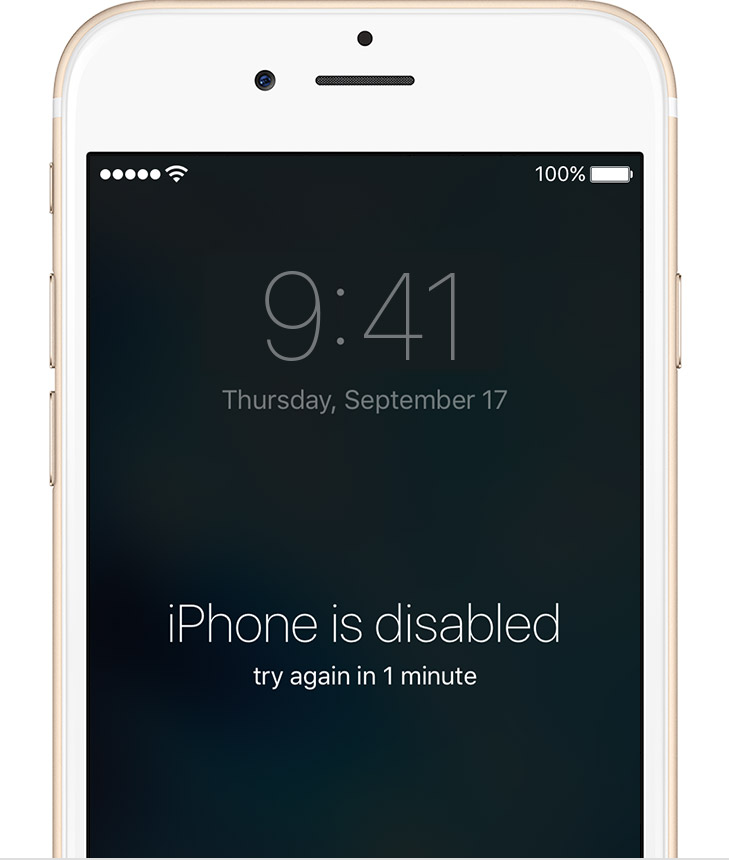
If you enter the wrong password / passcode into an your iPhone device continues six times, you'll be locked out and a message will say that your device is disabled, please try again after 1 mint or 5 mint etc.
Connect your device to the computer and Open iTunes. ...
Wait for iTunes to sync your device , click Restore [your device].
When you reach the Set Up screen while restoring your iOS device, tap Restore from iTunes backup.
If you forgot the passcode for your iPhone, iPad, or iPod touch, or your device is disabled, Follow below these steps to reset your device.
If you enter the wrong password / passcode into an your iPhone device continues six times, you'll be locked out and a message will say that your device is disabled, please try again after 1 mint or 5 mint etc.
Pick a way to erase your iPhone device
Choose a way to erase:
If you've synced with iTunes, use iTunes or If you're signed in to iCloud and Find My iPhone is enabled, use iCloud.
If you don't use iCloud and you can't sync or connect with iTunes, use recovery mode. Erase your device with iTunes
If you've synced your device with iTunes, you can restore your device easily.
Connect your device to the computer and Open iTunes.
Wait for while and click on restore button from iTunes.
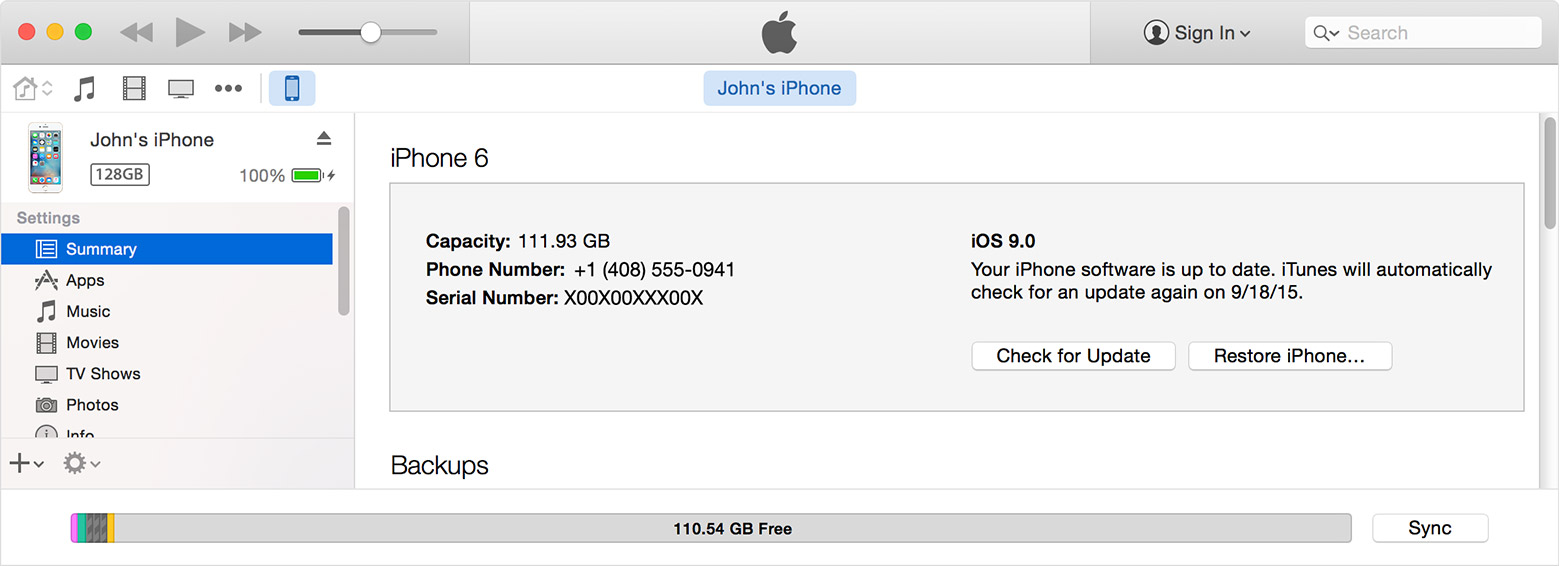
Set Up you reach the screen while restoring your iOS device, click tap to Restore from iTunes backup.
Select your iPhone device in iTunes. Look at the date and size of each backup and pick the most relevant one.

Select your iPhone device in iTunes. Look at the date and size of each backup and pick the most relevant one.
Second Method.
Erase your device with iCloud
If you set up Find My iPhone on your iOS device, you can use iCloud to erase and restore it.
From another device or Computer, go to icloud.com/find.
If prompted, sign in with your Apple ID.
Click All Devices at the top of your browser window.
Select the device you want to erase all devices from iCloud.
Click Erase [device] to erase your device and its passcode.
Now you can either restore from a backup or set up as new, Its up to you
If your device isn't connected to a Wi-Fi or cellular network, you can't erase it with Find My iPhone.
Recommended
If you set up Find My iPhone on your iOS device, you can use iCloud to erase and restore it.
From another device or Computer, go to icloud.com/find.
If prompted, sign in with your Apple ID.
Click All Devices at the top of your browser window.
Select the device you want to erase all devices from iCloud.
Click Erase [device] to erase your device and its passcode.
Now you can either restore from a backup or set up as new, Its up to you
If your device isn't connected to a Wi-Fi or cellular network, you can't erase it with Find My iPhone.
Recommended
Erase your device with recovery mode
If you've never synced with iTunes or set up Find My iPhone in iCloud, you'll need to use recovery mode to restore your device. This will erase the device and its passcode / Password.
Connect your iOS device to your computer and open iTunes. If you don't have a computer, borrow one from a friend, or go to an Apple Retail Store or Apple Authorized Service Provider.
While your device is connected, force restart it: Press and hold the Sleep/Wake and Home buttons at the same time. Don't let go when you see the Apple logo — keep holding until you see the recovery mode screen.
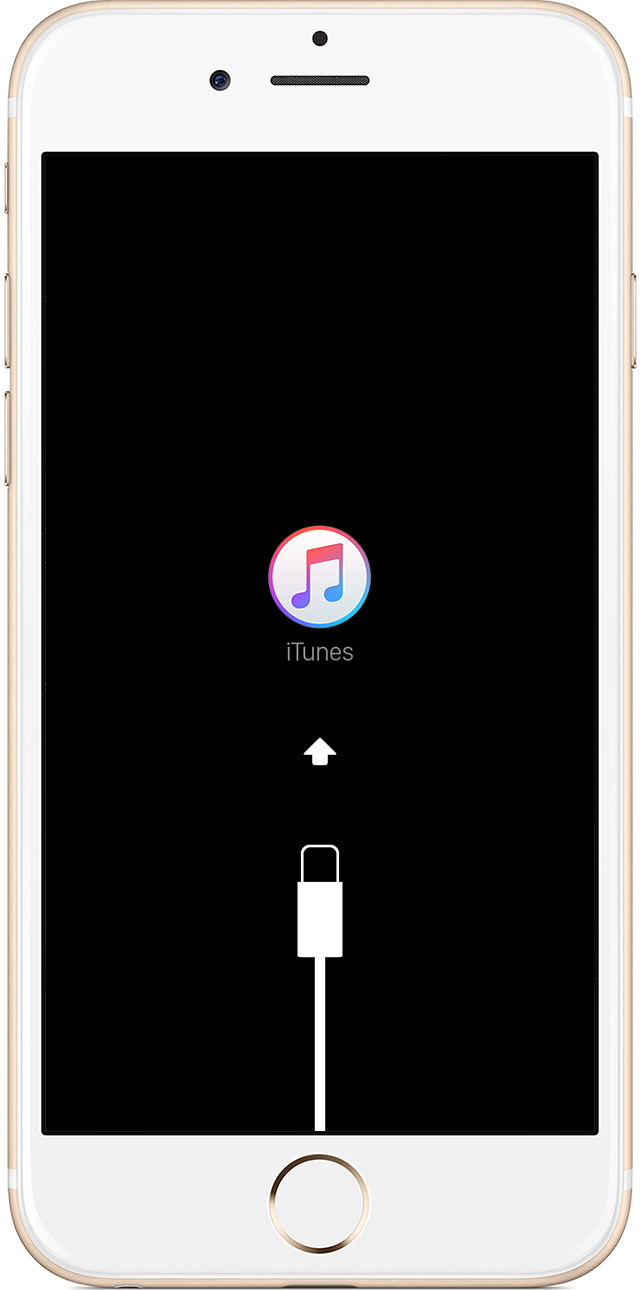
When you see the option to Restore or Update, choose Restore.
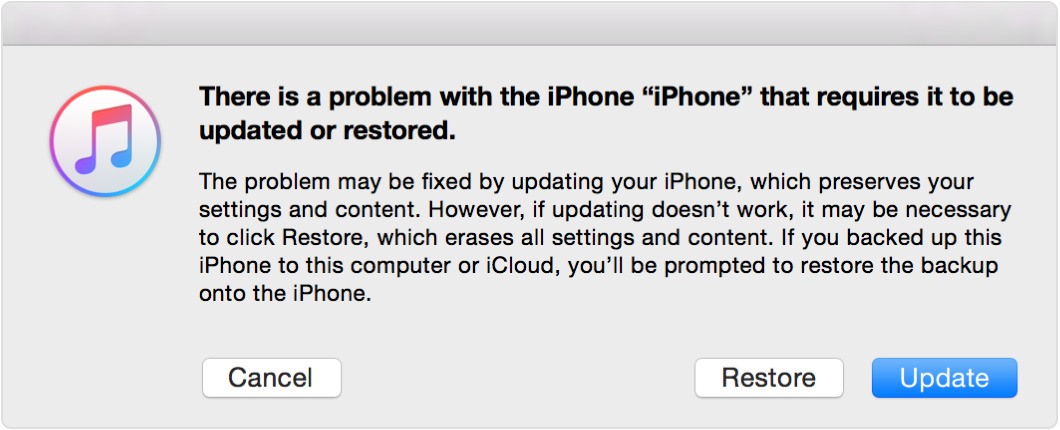
iTunes will download software for your iPhone device. If it takes more than 15 minutes, your device will exit recovery mode and you'll need to repeat steps 2 and 3.
Wait for the process to finish. Then you can set up and use your device.
Don't forget to Share with your friends and follow us on Blogger + Google + Youtube.
If you've never synced with iTunes or set up Find My iPhone in iCloud, you'll need to use recovery mode to restore your device. This will erase the device and its passcode / Password.
Connect your iOS device to your computer and open iTunes. If you don't have a computer, borrow one from a friend, or go to an Apple Retail Store or Apple Authorized Service Provider.
While your device is connected, force restart it: Press and hold the Sleep/Wake and Home buttons at the same time. Don't let go when you see the Apple logo — keep holding until you see the recovery mode screen.
When you see the option to Restore or Update, choose Restore.
iTunes will download software for your iPhone device. If it takes more than 15 minutes, your device will exit recovery mode and you'll need to repeat steps 2 and 3.
Wait for the process to finish. Then you can set up and use your device.
Don't forget to Share with your friends and follow us on Blogger + Google + Youtube.
Saturday, August 27, 2016
Huawei ALE-L21 Hard Reset
Huawei ALE-L21 Hard Reset
1.Power Off Mobile
2.Both Press Volume Up + Power Button Until Mobile Vibrate
3.After 10 Second You See Hard Reset Menu
4.Select The Wipe Data
5.Reset Phone
Mughal Mobile
Imran Mughal
055-4802064
1.Power Off Mobile
2.Both Press Volume Up + Power Button Until Mobile Vibrate
3.After 10 Second You See Hard Reset Menu
4.Select The Wipe Data
5.Reset Phone
Mughal Mobile
Imran Mughal
055-4802064
Monday, August 22, 2016
Lenovo A6000 Hang and Display problem solved by Hard Reset
Mobile display not showing after switching on. Lenovo A6000 Hang andDisplay problem solved by Hard ...
Mostly , people didn't like the ROM of lenovo mobile. It did not have app drawer plus was not much close to stock rom with too much visual. But they have changed that in new lenovo smartphones (Vibe X3) , brought in the app drawer and a mode that helps it look closer to stock. But still it has few bloat ware applications , Camera on lenovo phones suffers a lot . Sometimes the post processing is overly done and images loose a lot of detail and data.
Plus comparatively the lenovo touch and display on motorola phones seem better. I tried many time to touch the screen at 1 key letter on whatsapps and hold for a moment and it become crazy on my screen which is the phone is typing random letters or even opening random menu/apps/camera on its own automatically.
Mostly , people didn't like the ROM of lenovo mobile. It did not have app drawer plus was not much close to stock rom with too much visual. But they have changed that in new lenovo smartphones (Vibe X3) , brought in the app drawer and a mode that helps it look closer to stock. But still it has few bloat ware applications , Camera on lenovo phones suffers a lot . Sometimes the post processing is overly done and images loose a lot of detail and data.
Plus comparatively the lenovo touch and display on motorola phones seem better. I tried many time to touch the screen at 1 key letter on whatsapps and hold for a moment and it become crazy on my screen which is the phone is typing random letters or even opening random menu/apps/camera on its own automatically.
Anyone know why this happened? It is because of phone launcher or screen problem because when i'm not recharging or when charging completed 100%, this problem won't happened. Only happened when charging the phone.
Dear Thanks for reading this artical about Lenovo A6000 or other models as well.
You have to do just reset you phone it will work correctly because in lenovo mobile they have ROM issues.
If your problem is still just reply with your correct mobile model and describe your issue in comment area we will analyze your issue.
Subscribe to:
Posts
(
Atom
)